Showing posts with label hardware. Show all posts

Monday, December 20, 2010

DIY: Slackware on USB Flash on old PC

I was curious how well the project (booting Slackware-current on a USB flash drive) would work when booted on an old PC- or even if it would work at all. I pulled an old PC out of the closet for the test. I found an old Dell Latitude CPt laptop (service tag: 4AQI6). I found some spare memory for it, topping out both slots for a total of 512MB. That should help a lot, but I know other limitations might still make it unusable or cause the test to fail. The limitations include low CPU power and its v1.1 USB interface. Significantly, the USB v2.0 interface increased top speeds by a factor of 43.6x over the predecessor (480 vs. 11). That could be a serious limitation! I decided to go forward with the test anyway. To my surprise, it booted just fine- albeit a bit slow compared to modern hardware; probably mostly due to the USB speed and its CPU- a Celeron 400Mhz (Mendocino - P6 class).


More Details
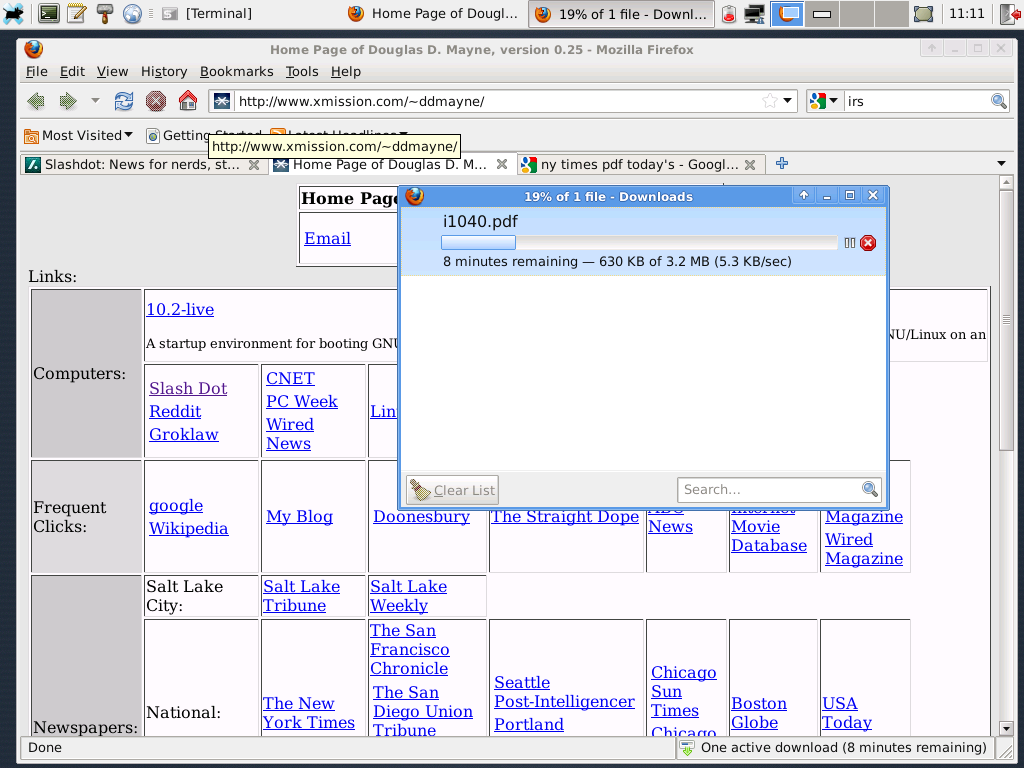
I don't think this hardware will boot from USB. I booted from a CD-ROM. Also, I couldn't find any PCMCIA wireless cards, but I did find a Viking 56k modem card. I connected to my ISP and started running Firefox. Here are a couple of screenshots. Notice that the download speed is 5 kB/s, i.e. 56k max speed. Here are the startup logs and some stats while running. Note times referenced in the log are wrong because I didn't set the clock before booting and it had reverted to its default time due to a dead motherboard battery.
.

Final Word
People are constantly upgrading hardware and that means there are a lot of spare computers lying around. If you have a spare P4-class computer, or a spare P3/Celeron computer, then consider using it with a secure OS: GNU/Linux. This is especially true because Windows 95/98/Me/NT/W2k are all "expired." Meanwhile, the hardware lives on.

Update: 2010-12-21
For "desktop" use, I think the above hardware may be just a bit too low, especially in "live" mode relying on the USB bus. I left the PC running for the day, and it experienced some serious hiccups and performance degradation over time. I think this hardware would work better with an actual magnetic hard disk instead of the USB flash drive; and perhaps finding a system with a 650MHz P3 processor, instead of a 400MHz Celeron. I noticed some minor hiccups even on more modern hardware, but on hardware of this vintage the hiccups were much more severe. Maybe, I'll run some more tests later on other low-level hardware.

Possible next test bed:


MotherboardDFI CM33-TL/G
CPUSingle slot: Celeron 1.3GHz
Memory512M to 1G PC133
Videoonboard ATI 8M
USBBelkin USB 2.0 on PCI bus


One common problem of P3 vintage hardware is that the builtin USB is v1.1, not v2.0. That means it is usually necessary to find a USB 2.0 add-in card. The P4 generation (and later) motherboards usually do have builtin USB v2.0 slots. The other problem causing "premature" death of hardware is failing motherboard capacitors. That problem seems to be very prevalent on certain brands.

Tuesday, October 5, 2010

CPU Comparison

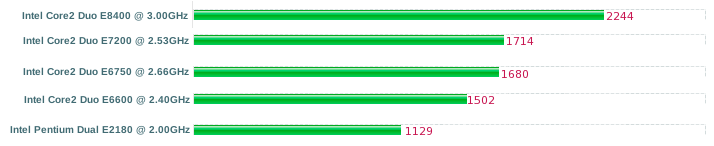
Here is a rough bar chart
.

showing the relative performance of some of the CPUs in systems that I have built after the introduction of Core 2 architecture. According to the graph, the E8400 outclasses the other systems by a wide margin. In actual experience there isn't that much of a difference between a E6600 and E8400 because the entire system specs must be taken into account. Also, I am not sure I agree with the graph that the E7200 is better than an E6750. The E6750 has a better instruction set. The E8400 still offers a lot at the $160 level. Lately, I have been testing an E2180 CPU which has very good performance and very good "bang for the buck" ($33 on EBay).

Tuesday, August 24, 2010

DIY Project


Here

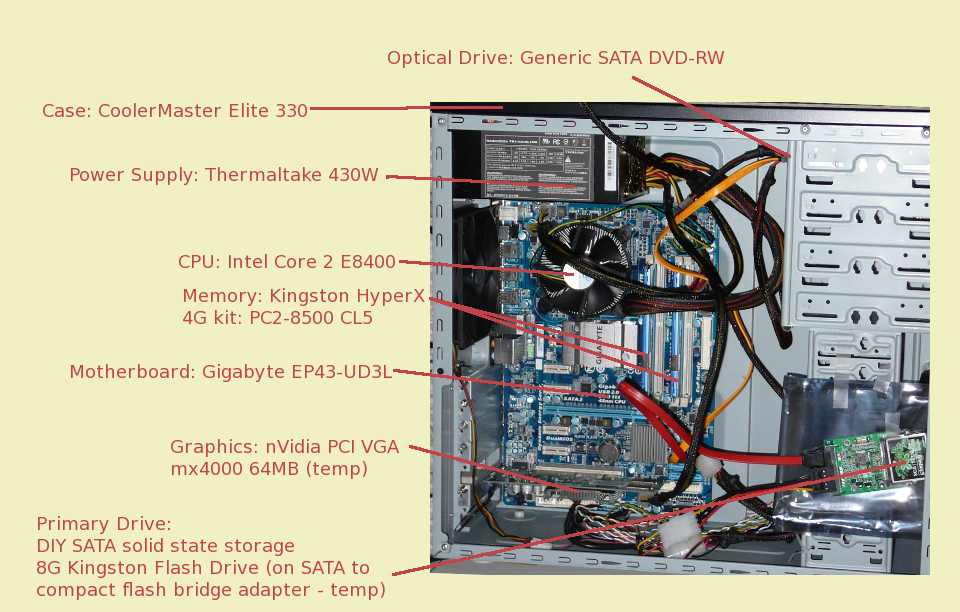
is my latest PC assembly project. I went the "do it yourself" route and I used parts similar to those that I mentioned here. I can't say that it's the cheapest PC out there, though. I see that Staples has an Acer desktop on their ad for $300. I hope that the adage "you get what you pay for" is true because the Staple's system looks to be a good bargain in comparison.

One thing which I was able to test with this system is running from a flash based live Linux distribution. The flash drive holds an 8G image of Slackware 13.1. The image is used as the basis for a device mapper snapshot. The "top" layer is allocated from RAM (tmpfs). By default the Linux kernel will allocate half of RAM for use by tmpfs, about 2G in this case. I used all of that for the snapshot (with loop0 pointing to the allocated file). From my initrd environment, I used this command sequence:


# dd if=/dev/zero of=/tmpfs/z
# losetup -f /tmpfs/z
# echo 0 $(blockdev --getsize /dev/sda1) snapshot /dev/sda1 /dev/loop0 p 32 | dmsetup create top


Note that by using RAM as the top layer, I avoid writing anything at all to flash. This is by design to prevent failures due to too many R/W cycles. In effect the flash layer is readonly; changes go to the top layer. A major benefit of using flash memory for the readonly layer is that it is orders of magnitude faster than optical disc (because optical disc seek time is so very slow.) The technique is described here.

Update: 2010-08-26
Here is some information about the E8400 CPU as seen by the Linux kernel:

bash-4.1$ cat /proc/cpuinfo
processor : 0
vendor_id : GenuineIntel
cpu family : 6
model : 23
model name : Intel(R) Core(TM)2 Duo CPU E8400 @ 3.00GHz
stepping : 10
cpu MHz : 3000.068
cache size : 6144 KB
physical id : 0
siblings : 2
core id : 0
cpu cores : 2
apicid : 0
initial apicid : 0
fdiv_bug : no
hlt_bug : no
f00f_bug : no
coma_bug : no
fpu : yes
fpu_exception : yes
cpuid level : 13
wp : yes
flags : fpu vme de pse tsc msr pae mce cx8 apic sep mtrr pge mca cmov pat pse36 clflush dts acpi mmx fxsr sse sse2 ss ht tm pbe nx lm constant_tsc arch_perfmon pebs bts aperfmperf pni dtes64 monitor ds_cpl vmx smx est tm2 ssse3 cx16 xtpr pdcm sse4_1 xsave lahf_lm tpr_shadow vnmi flexpriority
bogomips : 6000.13
clflush size : 64
cache_alignment : 64
address sizes : 36 bits physical, 48 bits virtual
power management:

processor : 1
vendor_id : GenuineIntel
cpu family : 6
model : 23
model name : Intel(R) Core(TM)2 Duo CPU E8400 @ 3.00GHz
stepping : 10
cpu MHz : 3000.068
cache size : 6144 KB
physical id : 0
siblings : 2
core id : 1
cpu cores : 2
apicid : 1
initial apicid : 1
fdiv_bug : no
hlt_bug : no
f00f_bug : no
coma_bug : no
fpu : yes
fpu_exception : yes
cpuid level : 13
wp : yes
flags : fpu vme de pse tsc msr pae mce cx8 apic sep mtrr pge mca cmov pat pse36 clflush dts acpi mmx fxsr sse sse2 ss ht tm pbe nx lm constant_tsc arch_perfmon pebs bts aperfmperf pni dtes64 monitor ds_cpl vmx smx est tm2 ssse3 cx16 xtpr pdcm sse4_1 xsave lahf_lm tpr_shadow vnmi flexpriority
bogomips : 5999.07
clflush size : 64
cache_alignment : 64
address sizes : 36 bits physical, 48 bits virtual
power management:

And, some relative scores here.

My next project will most likely be a 64-bit machine for use with VMare ESX or QEMU+KVM. I am looking at a pair of Xeon 5520 CPUs. Or possibly, Xeon 5504 to save some bucks.

Update: 2010-12-01
Check this post for a similar project using flash as a primary storage media.

Monday, April 5, 2010

Friday, April 2, 2010

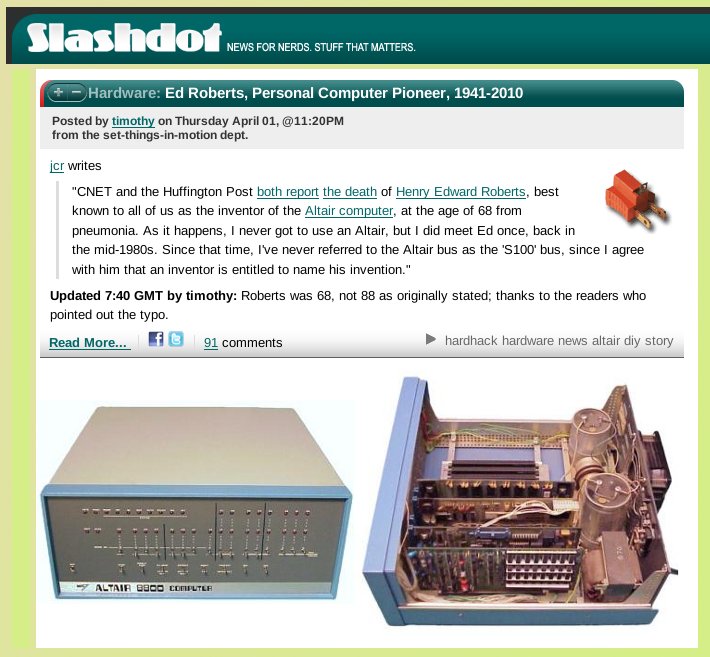
Altair Computer Inventor : Ed Roberts (1941-2010)


.
The Altair 8800 is where it all began for Intel based personal computers. Its inventor, Ed Roberts, passed away yesterday.

Monday, February 22, 2010

Slackware 13.0 on Samsung NC10

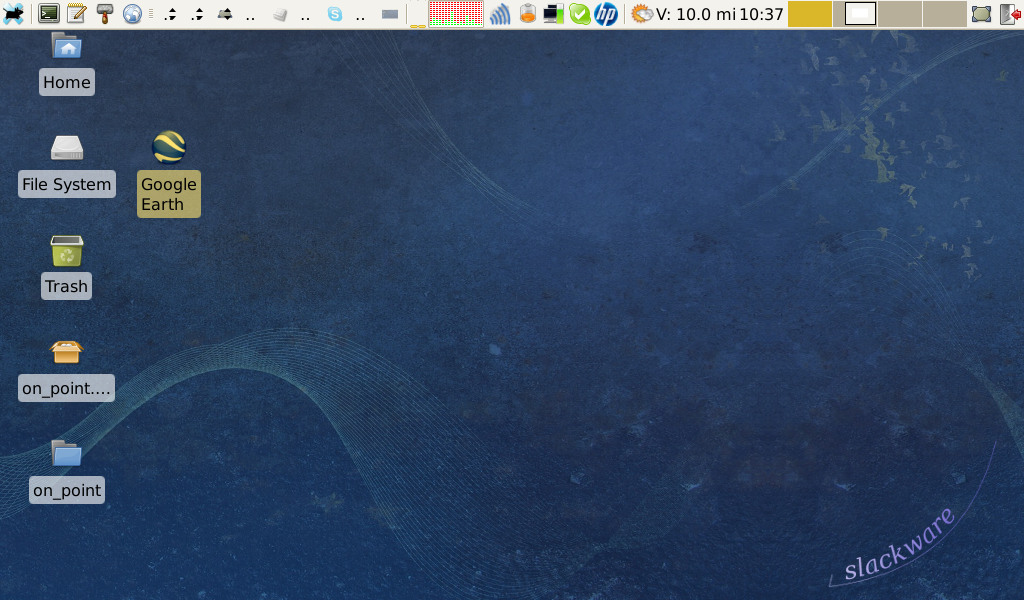
I finally got around to installing Slackware 13 on a Samsung NC10 netbook. Read this post, hosted on another site.


screenshot

Wednesday, February 3, 2010