Monday, January 16, 2012

Minor Update to My Live USB

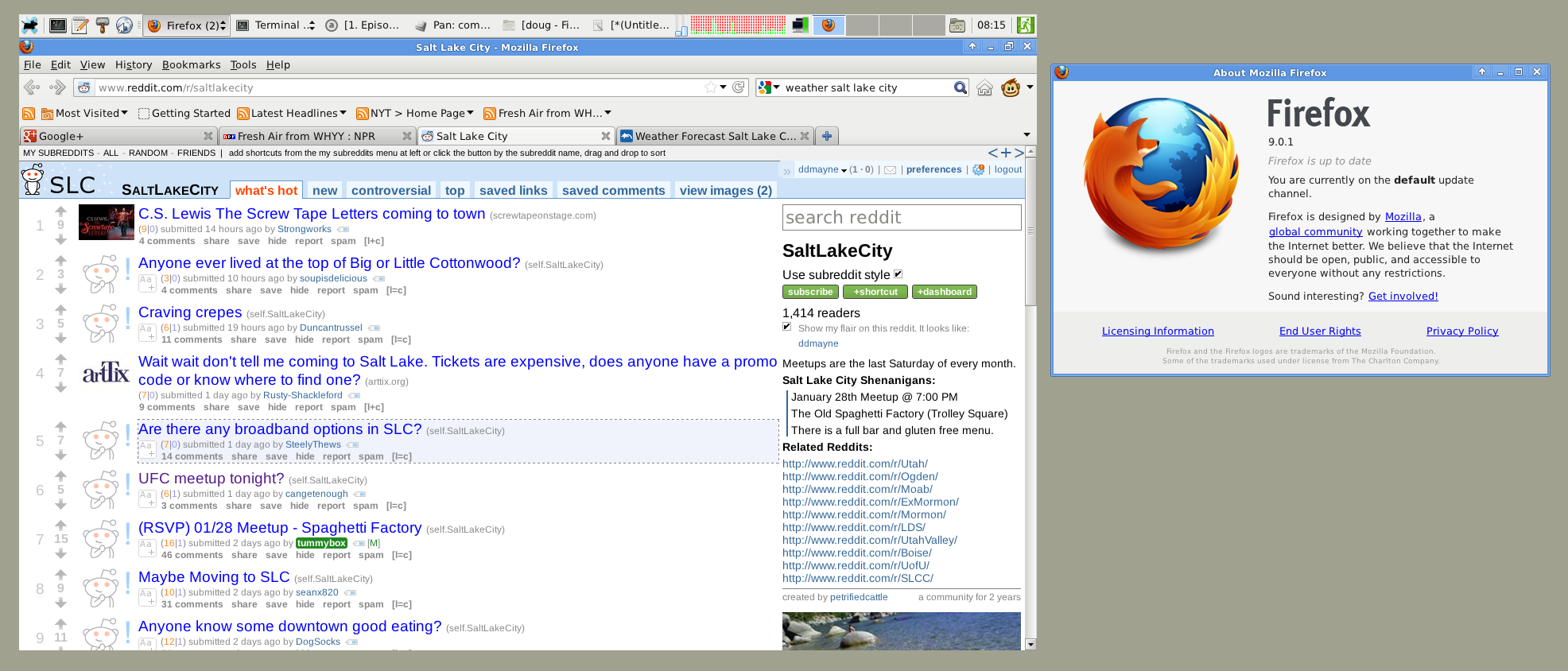
I have been using a live USB based system, off and on, for the last few months. I am impressed with how well it actually works! There have been a few glitches on my hardware, and have switched to the bleeding edge linux kernel, v3.2.1. I've also upgraded to Firefox 9. It moves a few toolbars around by default, but they can be swapped back to look more like v.3.6.x. The root filesystem is prepopulated with an almost full base install of Slackware 13.37, with a few updates beyond, including the kernel. A few useful packages are also installed including the evince document viewer, and some browser plugins. The space used from the outset is about 3.9G.

Here is a screenshot of the live USB running, with the firefox about box appended:
1.

The system is running in true live mode- all changes to the system are stored in RAM only. A persistent mode is also available. The system's root filesystem is using the same layout as discussed previously on an 8G flash drive.

edit: Here are the steps I use to finalize the boot of a pristine Slackware install in live mode.


  • login as root

  • run pkgtool, select the slackware scripts to run again. Select the relevant choices.

  • add a non-root user using adduser

  • add the above non-root user to the sudoers list, using visudo

  • setup wifi connection parameters, if applicable, using wicd-curses, or similar

  • login as non-root user and begin customizing user environment as desired


    • set screensaver; I dislike the default selection, random screensaver

    • customize xfce's main toolbar

    • start firefox to initialize user directory, .mozilla

    • install adobe flash

    • install other plugins: greasemonkey, reddit enhancement suite


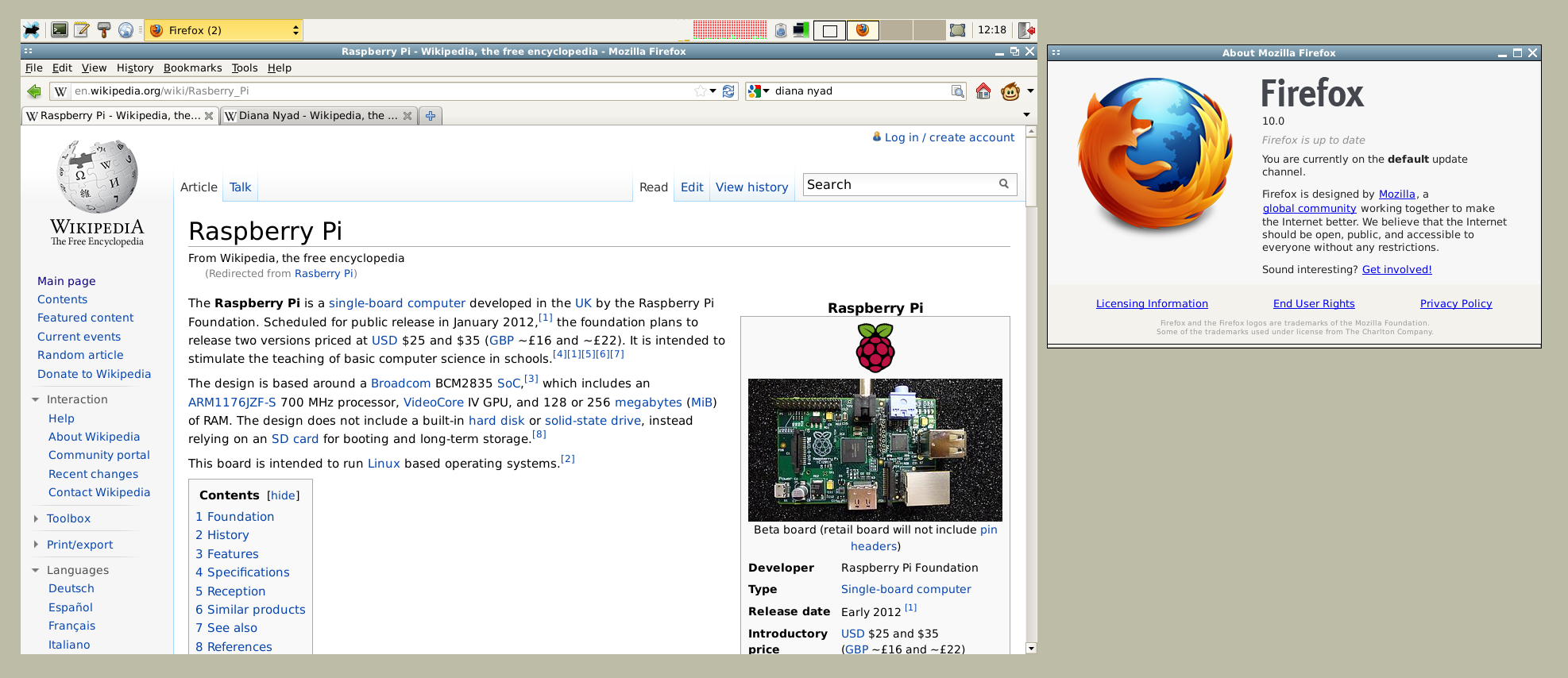
Update 2012-02-02: There were a lot of slackware patches in the recent official slackware changelog. Here is a screenshot showing Firefox 10.

2.

Saturday, December 3, 2011

First linux kernel compile in the 3.x era

The 2.6 branch of the linux kernel is now in maintenance mode only. Torvalds jumped to version 3.x to celebrate the kernel's twentieth birthday. There wasn't really any major changes in architecture, as was the case in going from versions 2.2 to 2.4, or from 2.4 to 2.6. From the outside, it looks like Torvalds caught the same version number bug that was going around this summer. The grass is greener phenomenon is typified by Mozilla's changing their numbering scheme for firefox. They abandoned their 3.6.x series, in favor of 4.x, 5.x, etc. and it is currently at 8.0.1.

Here is a spoke-wheel graphic showing the space used by the modules of the two most recently compiled kernels.

This kernel is more stable with my hardware, i.e. using Intel chipsets (i9xx).

Update: 2011-12-17 I applied the patch, recompiled and installed the 3.1.5 update to avoid more nasty bugs on my hardware.

Update: 2011-12-29 Same drill to update to 3.1.6. Version 3.1.5 choked when compiling firefox 9.0.1 on my hardware. The kernel, version 3.1.6, compiled firefox in about an hour.

Update: 2012-01-05 Same drill to update to 3.2.0. Still having some crash issues on 3.1.6. The last crash seemed to be related to wireless networking.

Friday, December 2, 2011

New look for Google+

Google+ changed to a dropdown menu as part of their new look and feel. The menu has a link to google documents, as part of the push to keep information online. I am mostly using Amazon S3, but google documents seem to be a quick and dirty method to share spreadsheets and formatted documents. The window also has the built in voice/video/telephone plugin, which competes nicely with skype.

Here is a composite screenshot.

Friday, November 25, 2011

The future of employment in a digital world

What jobs will be left for humans when computers/robots take more ground in manufacturing? This is the debate that began with workers questioning how they could compete with machines that could do their job better and more efficiently than they could. Their response was to throw shoes into the machinery; the root word of sabotage is sabot. The trend gained more momentum with Ford's assembly line at the beginning of the 20th century, and continues to accelerate in this century. It manifests with highly automated factories producing motherboards, cell phones, pharmaceuticals, and anything involving any repetitive task.

I joined today's On Point in the middle. It sounded very interesting and I am going to download the podcast. Let me know if you'd like the audio cached here.

Download mp3

Cached Audio:
1.
2.
3.
4.
5.

Monday, October 24, 2011

Good Default Printer for Slackware

I just noticed this slackbuild that creates a virtual pdf printer. This printer could be useful when used on live-usb system as the default printer. One improvement would be the ability to query the user for the filename to use. That would be very similar to "print to file" on other OSs.

Sunday, October 16, 2011

A Funny Comic (Rage Meme)


I found this online. I wish I could find the original poster to give proper credit.

Updated Google Talk plugin for Slackware

I finally got around to checking if google voice was working any better than it had been in the past. When I first tried it last year, the quality was lacking, especially when compared to skype. Now that Microsoft has completed their acquisition of Skype, I thought that it was time to see if any improvements have been made to google's offering. I did some simple tests and I think it's now working on par with Skype. Yeah! That's good news because it allows free video calling from computers to other google users, and free voice-only calls from computers to real telephone numbers in the United States, and other voice calls to real telephone numbers at rates comparable, or cheaper than skype (YMMV). Skype offers the same, except at $0.02 for calls in the US, and other rates worldwide.

Getting it working
Here is the procedure I followed to get this working.

  • Downloaded the Debian 32-bit package from google talk/chat.

  • -- verify md5sum: c6d5d8f881960483f6cb9a84d955a8e9 google-talkplugin_current_i386.deb

  • Downloaded the slackbuild for Slackware 13.37, as maintained by Erik Hanson.

  • -- The slackbuild repackages the Debian package, and it worked without incident- including automatically building the 2.3.2.0 version without modifying the slackbuild.

  • Installed the package, per the normal slackware drill

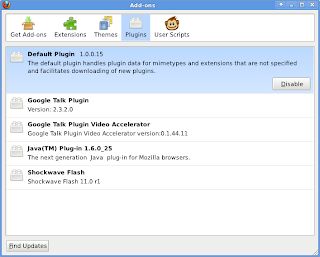
  • Restarted firefox, and voila, the talk plugin with video capability is now present in a google mail window (it is on the left, with the chat the sidebar


When firefox is restarted, you should see the google-talk addin listed:
Configuration tweaks
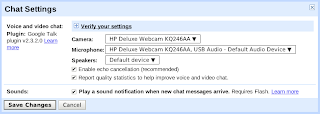
It can be tricky to find where to setup your devices, especially because the phone works as plugin within a browser. The phone is part of the "chat" component. I've seen it shown on the lefthand sidebar within two windows: google mail and google+ (when viewing "stream" content). To setup your devices, look for "options -> chat settings." You can change your device settings from that page.

By the way, I ran these tests while using a live USB version of Slackware 13.37. Let me know if you'd like my prebuilt package to apply directly to your devices.


  • 19faaaa2752fda7eaf555f67b2b931bd google-talkplugin-2.3.2.0-i386-1_SBo.tgz


Update: 2011-11-27 The talk plugin has been updated to version 2.5.6. The same installation drill applies. Also, let me know if you'd like a slack package.


  • fda69b2b6d1b59f080b9c5c84ae5f9cd google-talkplugin-2.5.6.0-i386-1_SBo.tgz