I wanted to bookmark this post that I found online.
Showing posts with label windows. Show all posts
Showing posts with label windows. Show all posts
Thursday, September 19, 2013

Tuesday, January 8, 2013
A nice Windows hack: Substitute the bash shell to replace CMD
Going back to the Windows command line is always a painful experience. The pain is only magnified if you're used to using a unix shell, like bash. Luckily, relief is available via a free download and a Windows registry hack.
First, you'll need a replacement shell. There are a few available. I tested two.
- Win-Bash This is a very lightweight tool. It only requires 13M of disk space and there are about 120 files with many standard utilities included. This setup ended up being much more capable than I had originally thought. Even though the bash version offered is several years old, it may be enough to meet your needs. Personally, I opted for a more comprehensive solution, below...
- cygwin This is a large set of unix/linux applications that have been ported to the Windows environment. It can be installed piecemeal, and the base environment includes several shell options, including bash. The downside is that the basic install requires about 100M of disk space.
To add a final piece to the puzzle, and make executing the shell much more convenient, you'll need to tweak the Windows workstation a little bit. After installing the bash-capable environment of your choice, the next step is to create a batch file and tweak some registry settings. When these fixes are in place, it will enable you to invoke bash using the standard right-click menu context.
Create a startup batch file, my_bash.bat
@echo off
cd /D "%1"
SHELL=c:\cygwin\bin\bash.exe
PATH=c:\cygwin\bin;%PATH%
bash -i
Navigate to the proper position into the registry (caution! whenever fiddling with the registry!) using the registry editing tool of your choice:
\My Computer\HKEY_LOCAL_MACHINE\SOFTWARE\Classes\Folder\shell
Add a new key using a descriptive name for the environment you've chosen. I installed both and chose win-bash and cygwin
Note that the value of default REG_SZ key assigns the name that will be shown in the right-click menu.
Next, add one more subkey below that new key:
\My Computer\HKEY_LOCAL_MACHINE\SOFTWARE\Classes\Folder\shell\cygwin\Command
The default REG_SZ for this subkey is the code that is executed. Link this to the batch file.
cmd /c c:\cygwin\my_bash.bat "%1"
Voila! Test it using the Windows explorer shell.
After this environment is installed other bonus factors can start to accumulate, too. You can start writing simple bash scripts to automate common Windows tasks, or not. In any case, the unix scripting language(s) offers much more robust and consistent environment(s) for getting things done. If that were not incentive enough all by itself, here are some other things that I have tested as working, too. You'll need to install more than the base layer of cygwin, though.
- networking components. I installed ssh with heimdahl kerberos. That enables ssh sessions to be authenticated by active directory, i.e. without entering a passowrd.
- gnu compiler tools. Now, you can compile your standard C/C++ code that will execute under Windows without having the Microsoft tools.
- X11. Run remote X-applications!
As you can see, although I've only scratched the surface here, the Windows environment can be made more comfortable for those used to running Linux! Cygwin is the key.
edited: 2013-08-30, fix registry pathMonday, March 21, 2011
Tuesday, September 14, 2010
Setup printing to Windows printer...
...when no printer driver exists for GNU/Linux (i.e. the printer is truly "Windows Only."
Here is a comp.os.linux.misc post about printing from GNU/Linux. Unfortunately, there wasn't much "discussion" as the original poster offered no follow up. That is the way it goes on usenet, I guess.
Update: 2010-10-17
The above discussion continued on a new thread, but remained unclosed/ambiguous as far as a real solution. Here is a link to the new thread. For some reason, my response was not included/captured by Google groups. Here it is copied directly from Pan:
Here is a comp.os.linux.misc post about printing from GNU/Linux. Unfortunately, there wasn't much "discussion" as the original poster offered no follow up. That is the way it goes on usenet, I guess.
Update: 2010-10-17
The above discussion continued on a new thread, but remained unclosed/ambiguous as far as a real solution. Here is a link to the new thread. For some reason, my response was not included/captured by Google groups. Here it is copied directly from Pan:
On Wed, 13 Oct 2010 16:42:56 -0500, Geico Caveman wrote:
> Well, this is really not a server, but this set of groups are
> collectively perhaps the best place to ask this question.
>
> I have a windows only printer that is attached to a windows machine
> (Windows XP Professional SP 3).
>
> I have followed this guide to redirect the port and set up a dummy
> postscript printer to allow unix hosts to print:
>
> http://iharder.sourceforge.net/current/macosx/winmacprinter/
>
>
Caveat: I don't have a Dell MFP 1125
I was not aware of "redirected" ports under Windows (as explained in the
above link). Thanks for that info. That gets around the "kludge" of a two
step process that I explained here:
http://groups.google.com/group/comp.os.linux.misc/msg/188d3a25f727dc19
I think that you should still try what I recommended in the above post.
That way you could test that certain parts of the problem are setup and
working correctly. Then as it is debugged, you can phase in the more
elegent solution incrementally. The link you found definitely results in
a more elegant final solution, but there are more items that must be
setup correctly all at once. BTW, regarding the winmacprinter setup
steps, I would be tempted to just the smb protocol when using cups
because it speaks smb. That way lpr is eliminated at both ends.
--
Douglas Mayne
Tuesday, August 3, 2010
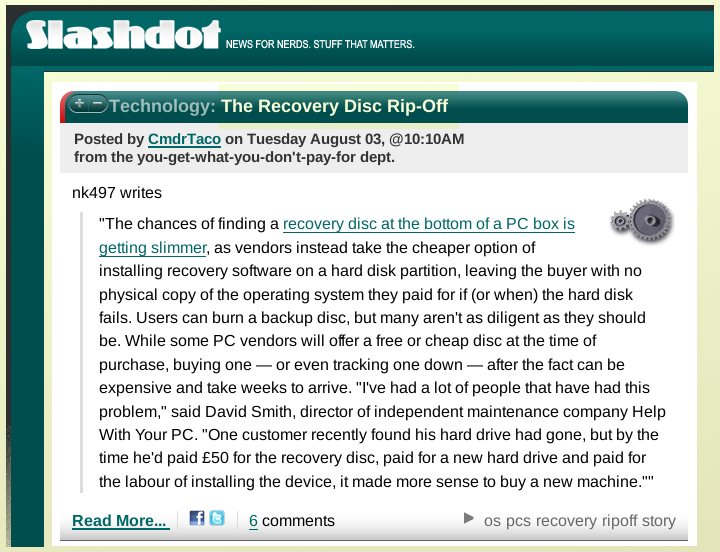
Where did I put the recovery disk?
 .
.Monday, July 12, 2010
Coming Soon: Last Patches for Windows 2000 and XP SP2
Tomorrow marks the effective "end of life" for Microsoft Windows 2000 and XP SP2. I hope you're ready for it. Also, the same fate will come to XP in toto in just four years (SP3 is its final incarnation). This is notable because Windows 2000 is often used at banks and other institutions. Hopefully, they've been on a fast track program to upgrade. However, that isn't all that likely in this economy and state of computer awareness in management. The truth is XP is so entrenched in business, government, and education, it will require major upgrade programs to be ready to pull the plug by 2014. Perhaps the feds can leverage extra support time for XP, maybe by playing a "monopoly" card. It seems fair, considering that Microsoft has enjoyed a monopoly in personal computer operating systems for the last 25 years. Perhaps, W2k's expiration will cause some alarm bells to start ringing. In the age of budget cuts, schools and government especially should look at ways to get off the monopolist's software, especially when a free alternative exists.
By the way, XP's approximate ten year lifespan is short by other software standards. The feds should have argued for twenty years of support in the antitrust case. Instead, they threw in the towel. I have agured that XP only gained enough maturity for general use at the service pack three level. That gives, in reality, about 7 years of useful life. (Of course, that depends a lot on your definition of the word "useful.")
A lot of users are still on W2k or XP because they wanted to avoid the upgrade treadmill, or because Vista had some big issues with compatibility and stability. It offered a new paint job and some new DRM restrictions - par for the course. It also moved the "furniture" around, as Microsoft is fond of doing. It certainly looks like a lot of fun to shuffle the deck chairs about! Of course, mac's got a lot of milage out of the vista upgrade fiasco. Here is the ad showing the "popularity" of downgrading to XP.
Here is slashdot's headline.
By the way, XP's approximate ten year lifespan is short by other software standards. The feds should have argued for twenty years of support in the antitrust case. Instead, they threw in the towel. I have agured that XP only gained enough maturity for general use at the service pack three level. That gives, in reality, about 7 years of useful life. (Of course, that depends a lot on your definition of the word "useful.")
A lot of users are still on W2k or XP because they wanted to avoid the upgrade treadmill, or because Vista had some big issues with compatibility and stability. It offered a new paint job and some new DRM restrictions - par for the course. It also moved the "furniture" around, as Microsoft is fond of doing. It certainly looks like a lot of fun to shuffle the deck chairs about! Of course, mac's got a lot of milage out of the vista upgrade fiasco. Here is the ad showing the "popularity" of downgrading to XP.
Here is slashdot's
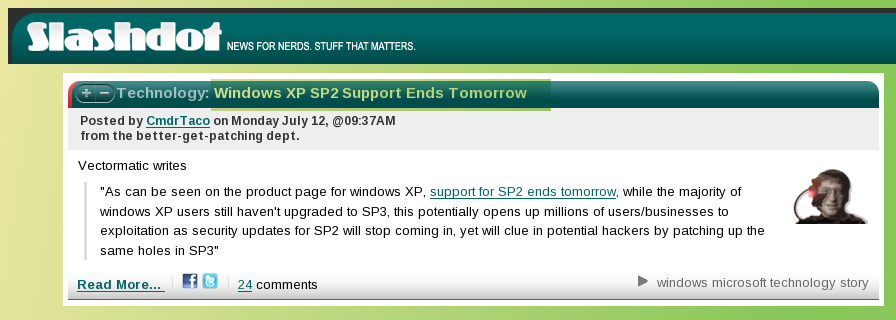 headline.
Thursday, April 22, 2010
Trouble(s) with Windows AV Scanner
There's no doubt that AV scanning is an important part of the Windows platform. Afterall, the raw count of Windows viruses is approaching 1 million separate virus. One has to wonder whether useful computing will be possible on Windows in the near future, or if all CPU cycles will be devoted to the antivirus scanner.
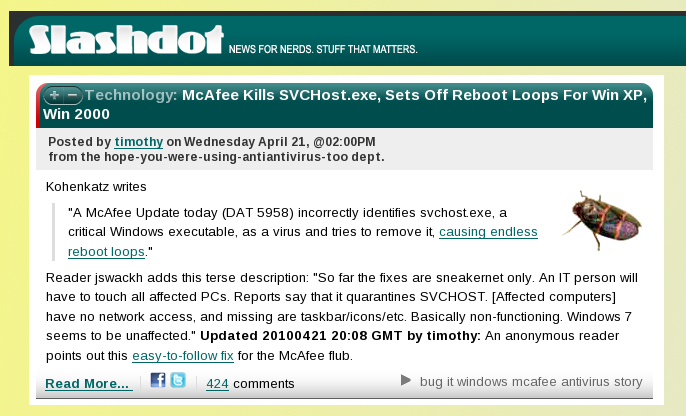
Meanwhile, this problem with McAfee AV caused havoc yesterday. Here is Slashdot's headline:
 .
.
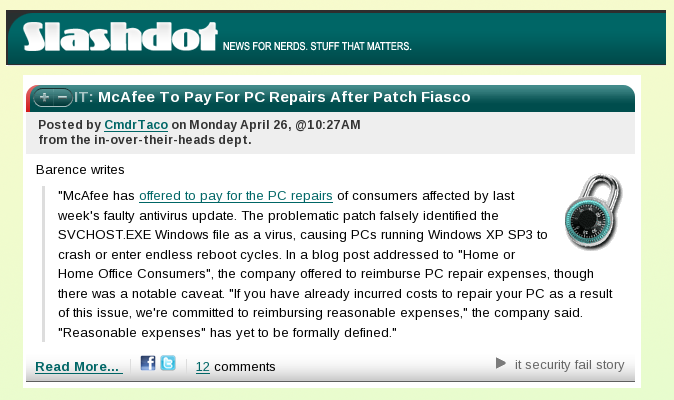
Update: McAfee will pay for repairs. Maybe, not as expensive as Toyota's recalls, but consider that Toyota had already received tens of thousands for the car. I assume each McAfee customer has paid less than that. Most likely the repair cost equals the yearly subscription cost.
 .
.
Meanwhile, this problem with McAfee AV caused havoc yesterday. Here is Slashdot's headline:
 .
.Update: McAfee will pay for repairs. Maybe, not as expensive as Toyota's recalls, but consider that Toyota had already received tens of thousands for the car. I assume each McAfee customer has paid less than that. Most likely the repair cost equals the yearly subscription cost.
 .
.
Thursday, December 31, 2009
Subscribe to:
Posts (Atom)